Building OpenGraph+ with Rails on Falcon
Brad Gessler · SF Ruby · March 2026
Brad Gessler talks about building OpenGraph+ with Falcon, Firehose, and GoodJob — all running on Postgres with no Redis.
I built OpenGraph+ on Rails
So I'd never have to think about Open Graph again
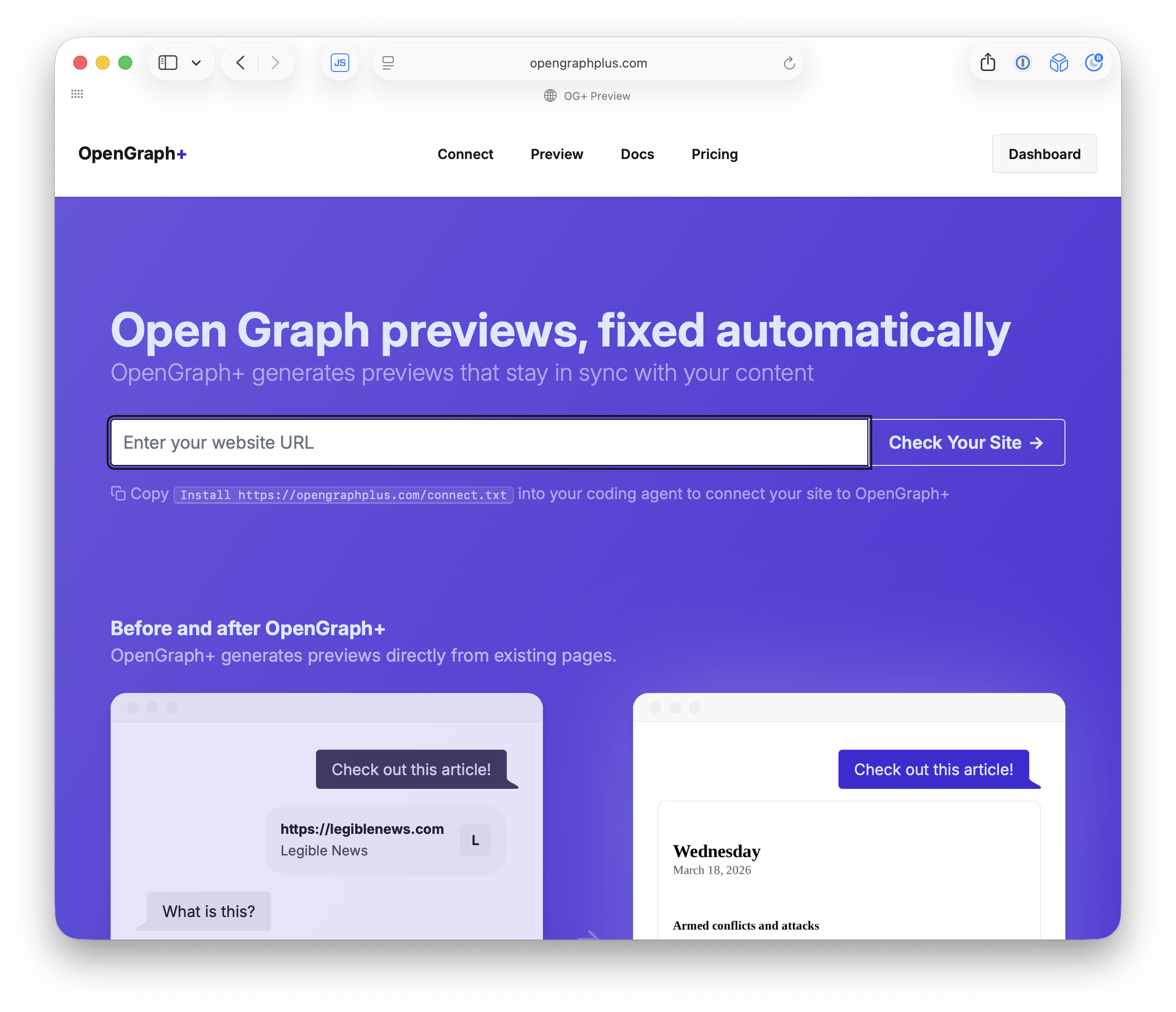
I built OpenGraph+ in Rails. It generates Open Graph preview images automatically for any website.
Open Graph tags tell platforms how to preview your link
Without them, you just get a bare URL
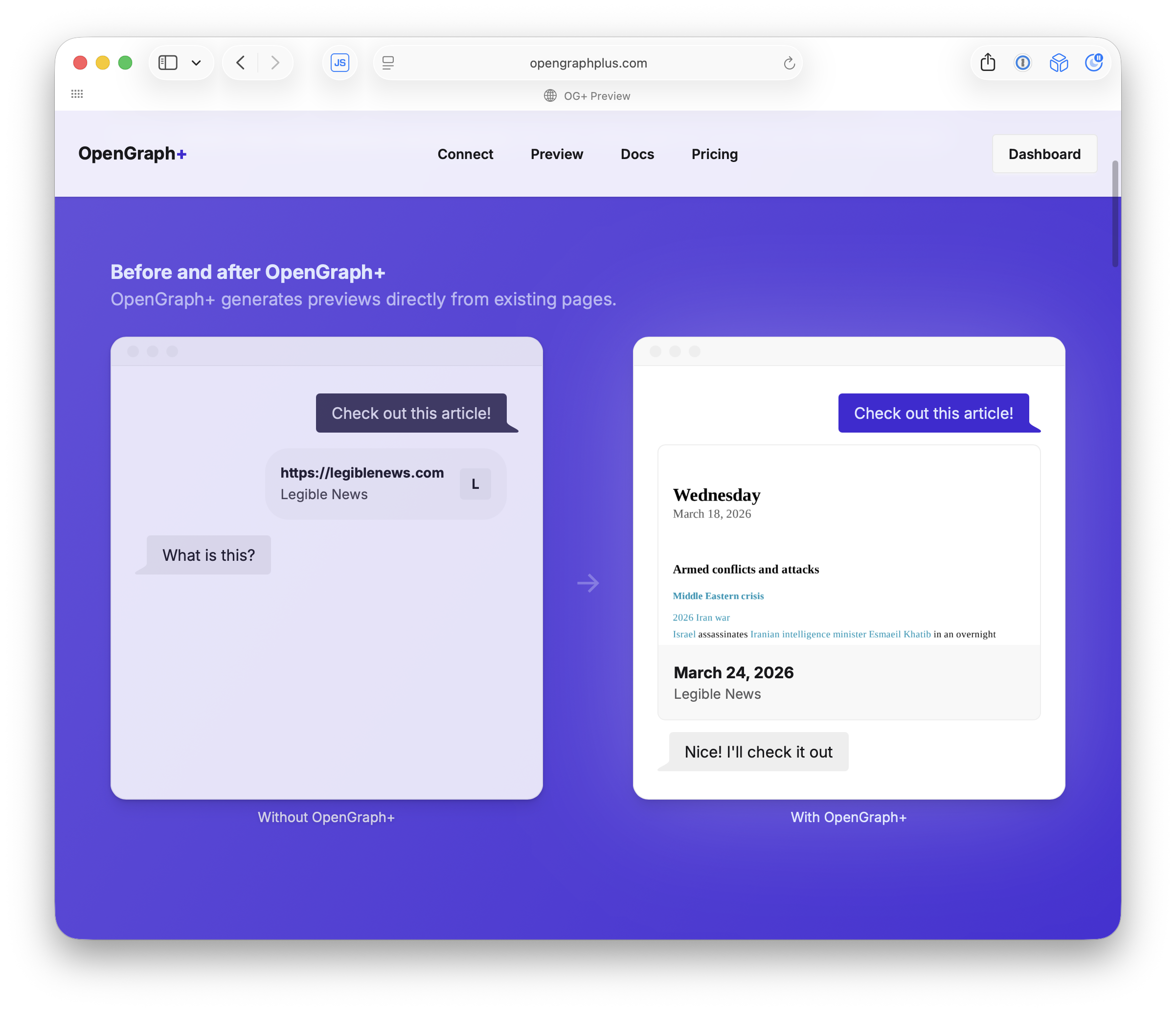
When you paste a link into Slack or Twitter, the platform reads Open Graph meta tags from your page to build the preview card. Without them you get a bare URL. OG+ generates the og:image automatically so every link looks good.
Every platform wants a different image size
One static image won't cut it
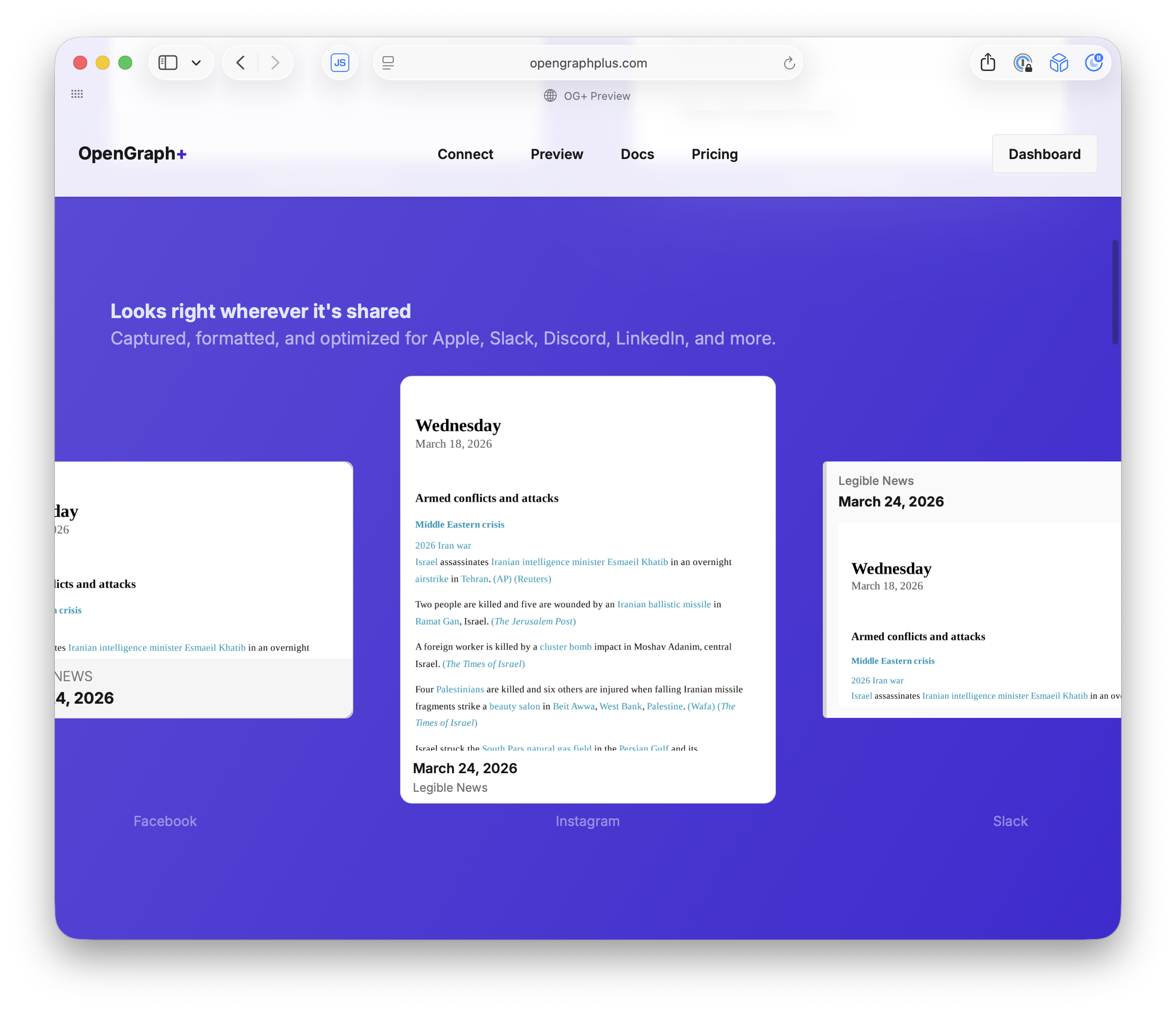
If you serve one static image, it looks great on one platform and cropped on the rest. OG+ detects which crawler is requesting and serves a screenshot at exactly the right pixel dimensions.
Preview how your links look on each platform
OpenGraph debugging tools for developers
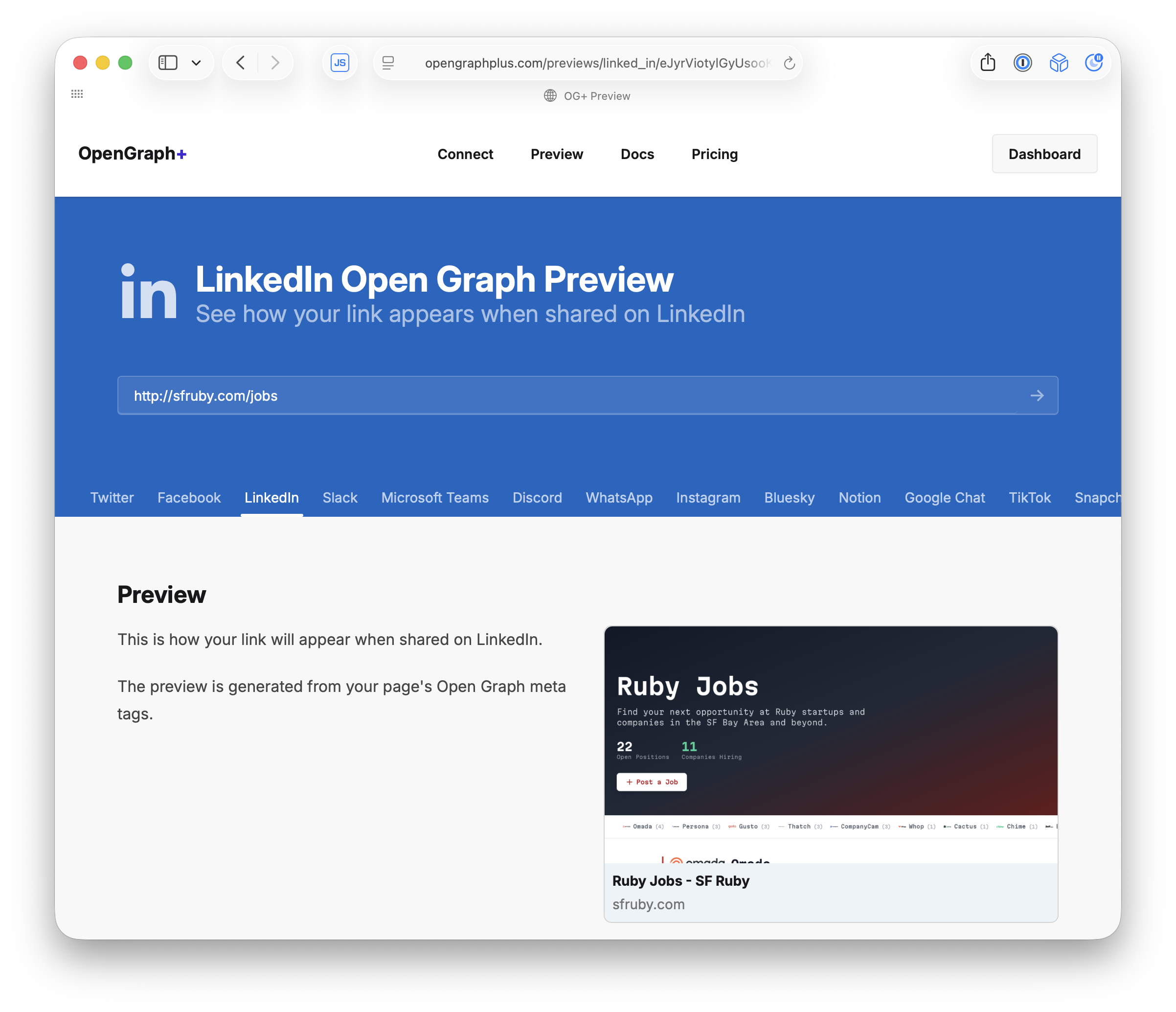
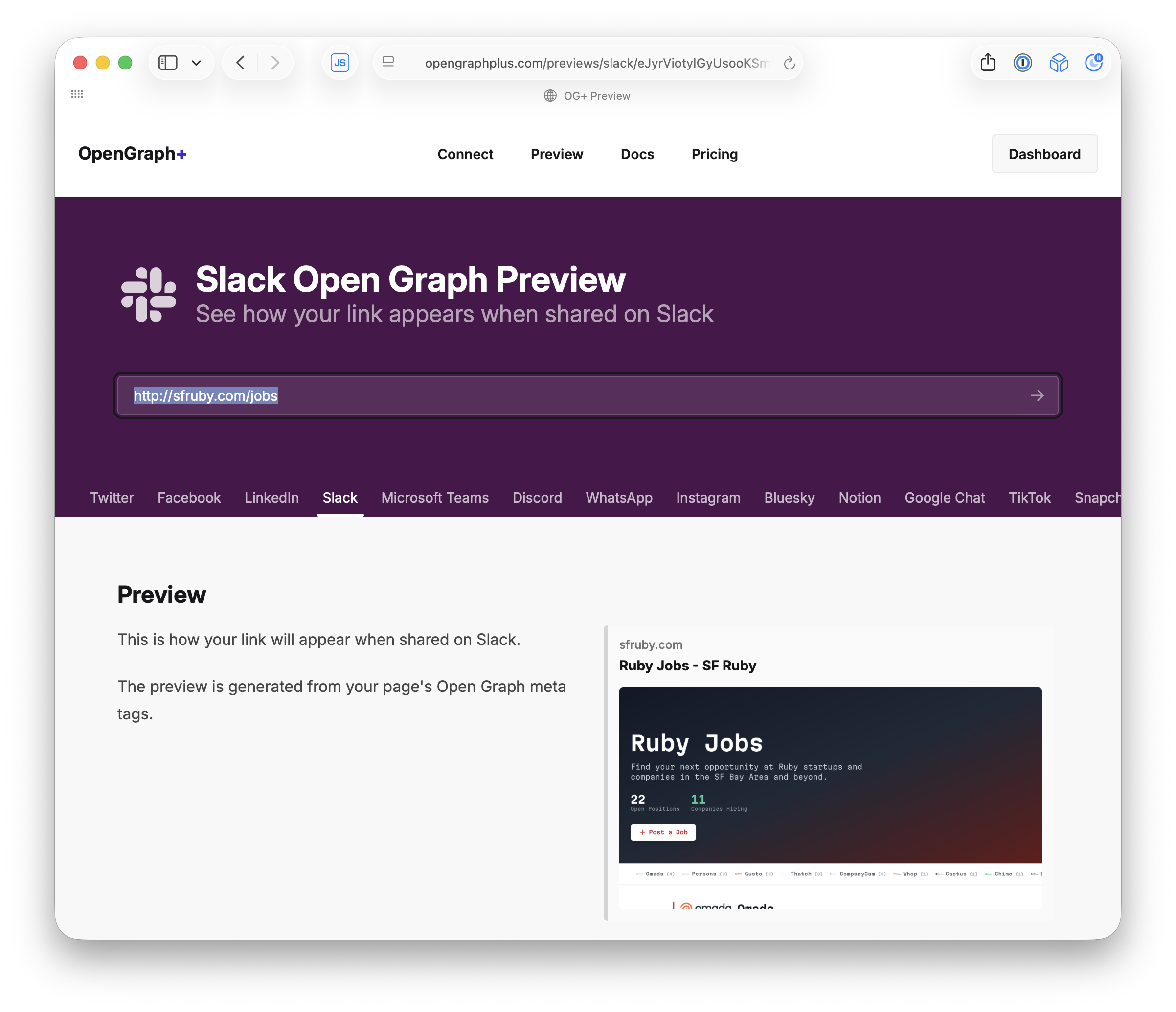
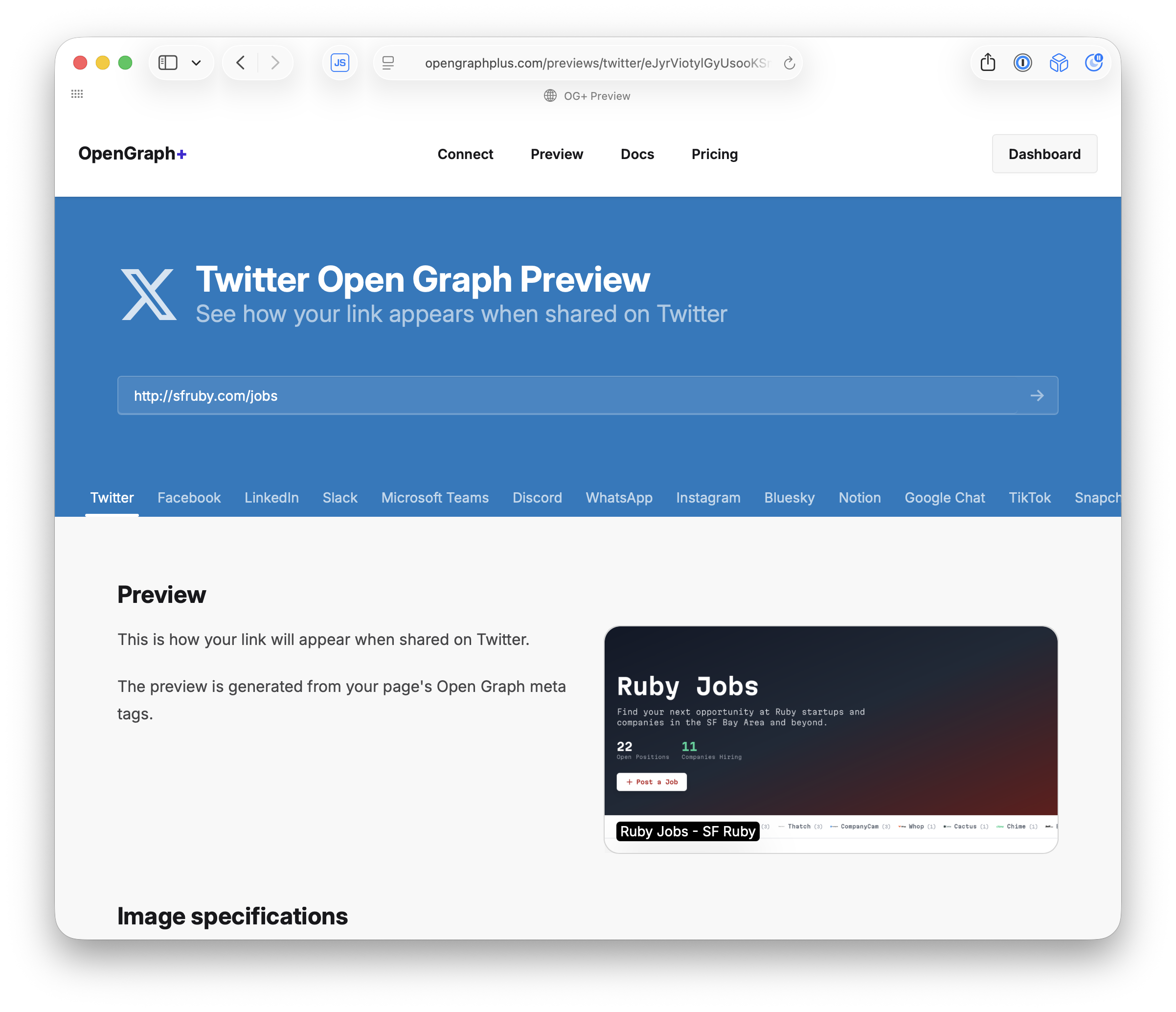
OG+ lets you preview exactly how your link will appear on Twitter, Slack, LinkedIn, and a dozen other platforms. Each one renders the OG image at different dimensions and layouts.
The OG+ Report grades your site's link previews
Results stream in live with Turbo page refresh
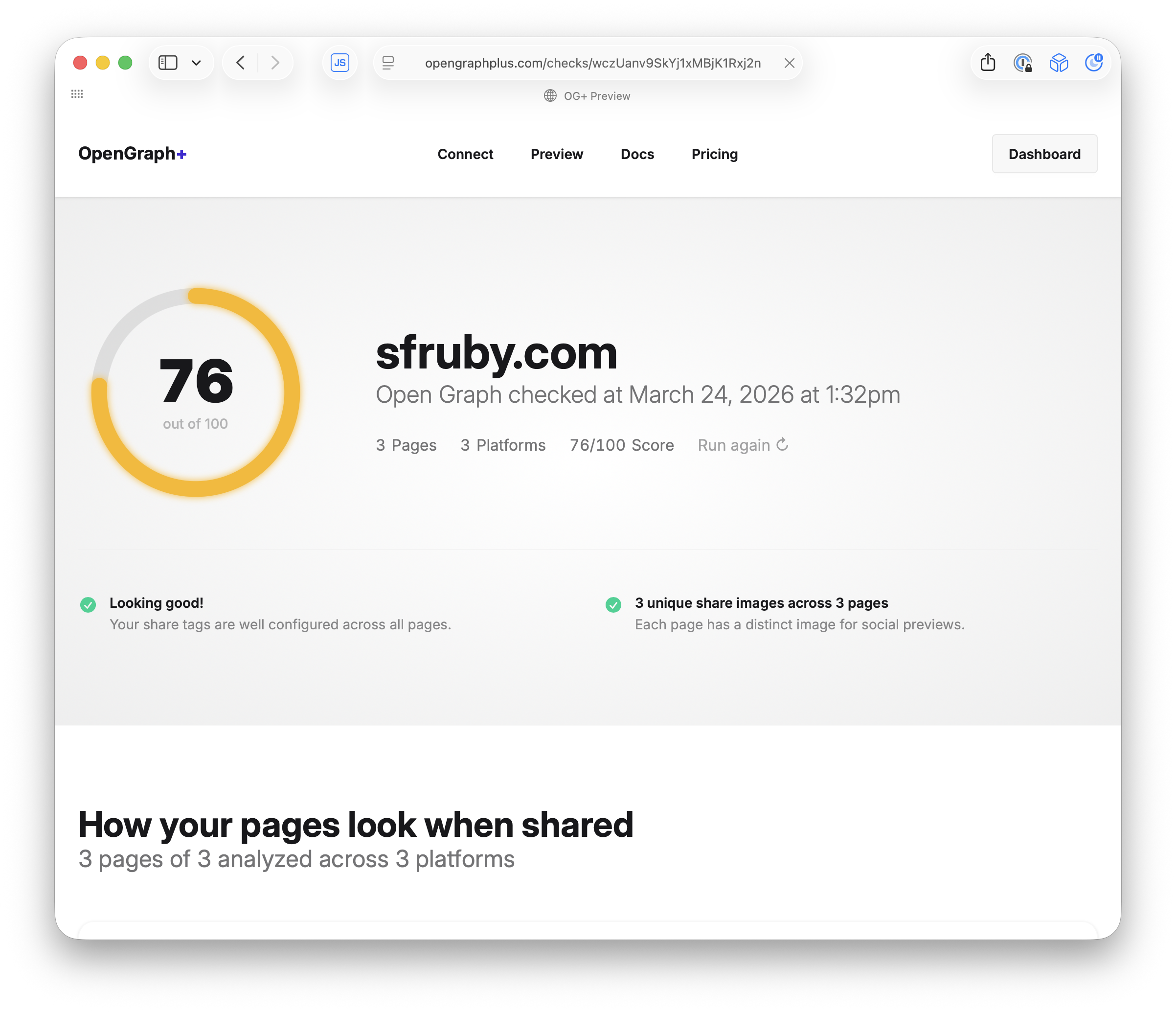
The Report crawls your pages and scores how well your Open Graph tags are set up. It uses Turbo page refresh to animate the results as they come in, so you see the score build up in real time as each page is analyzed.
It's a SaaS
Built entirely in Rails on Falcon
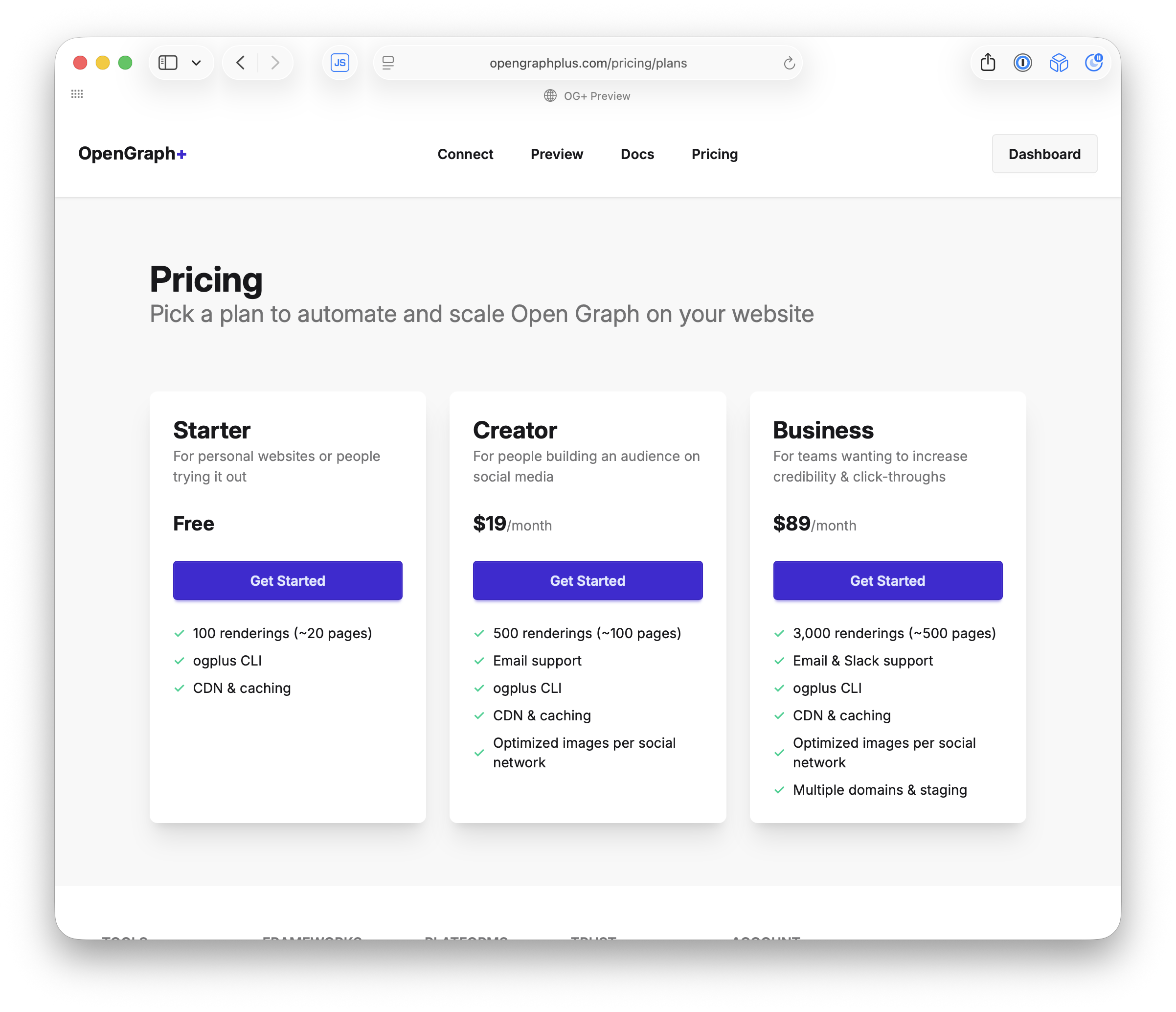
OG+ is a paid SaaS product. Free tier for small sites, paid plans for more renderings. The whole thing is a Rails app running on Falcon.
Problems
Three things that almost broke OG+
Building this as a SaaS on Rails introduced some interesting problems. Let me walk through the big ones.
Headless Chrome 🖥️
Slow, crashy, and resource hungry
OG+ renders every screenshot in headless Chromium. Each render takes 2-5 seconds depending on the page. Chrome instances crash randomly, leak memory, and eat CPU. You can’t run this inline in a web request on Puma.
I started with Chrome in the web process
2-5 seconds per screenshot, hundreds of MB per instance
class Render::Base < ApplicationModel
  def request
    validate!
    self.class.browser.with_page do |page|
      page.resize(width:, height:)
      page.go_to(url)
      wait_for_page_ready(page)
      capture  # screenshot
    end
  end
end
My first attempt was running headless Chrome directly in the web request. Load the page, wait for fonts, take a screenshot. It works, but Chrome eats hundreds of megabytes per instance and takes seconds per render. A few concurrent requests and you’re out of memory.
So I moved it to background jobs
But now I need to wait for the job to finish
Moving Chrome to a background worker fixes the memory problem. But the crawler is still waiting for a response. I need to enqueue the job, then block the HTTP request until the job is done. That’s the hard part.
The background job renders the screenshot
No async. No JS.
class Website::RenditionJob < ApplicationJob
  def perform(cache)
    rendition = cache.build_rendition
    rendition.render!    # headless Chrome
    rendition.save!
  end
end
Chrome runs in a GoodJob worker process, not the web server. The job takes the cache record, renders the screenshot, and attaches the image. But the crawler is still waiting on the other end of that HTTP request.
Twitter's crawler gives you 5 seconds ⏱️
One GET request. No retries. No callbacks.
Crawlers have aggressive timeouts. You can’t return 202 and poll. It’s a single GET. You either respond with the image or the preview is blank forever.
The connection must stay open
Block, then 200 OK and serve the image
You can’t return early or use a callback. The crawler is waiting. The HTTP request has to block while the background job renders in Chrome. That’s the fundamental constraint.
The whole controller
Block until the image is ready, then redirect
class Domains::ImagesController < ActionController::API
  def show
    # Block until the screenshot is ready
    @rendition = Website::DomainRenditionJob
      .render(@page, consumer:)

    # Serve the image
    redirect_to_storage_url @rendition.screenshot
  rescue Website::Page::RenderTimeout
    head :service_unavailable
  end
end
That’s it. .render blocks until the image is ready, then redirects to storage. If it times out, 503. consumer: detects which platform is crawling — that’s how we know the dimensions.
.render blocks until the image is ready
One line does everything: new(cache).enqueue.wait
class Website::RenditionJob < ApplicationJob
  def self.render(page, consumer:)
    cache = page.caches
      .find_or_create_by_consumer!(consumer)
    return cache.rendition if cache.fresh?

    # 👇 Queue the job, block until it's done
    new(cache).enqueue.wait
    cache.reload.rendition
  end
end
Check the cache. If it’s fresh, return immediately. If not: create the job, enqueue it, and wait. One line does all three: new(cache).enqueue.wait.
Website::RenditionJob
.new(cache)
.enqueue
.wait
Create the job. Queue it. Block until it's done.
This one line is the whole architecture. Three method calls chained together. The request doesn’t return until the screenshot is ready.
Subscribe first, then enqueue
Reverse this and you might miss the signal forever
class Website::RenditionJob < ApplicationJob
  # new(cache).enqueue.wait
  #          ^^^^^^^
  def enqueue(*)
    # 👂 Listen for "done" on Postgres
    channel.subscribe
    # 🚀 Now enqueue the job
    super
  end
end
Order matters! If you enqueue first, the job could finish before you start listening. You’d miss the NOTIFY and wait forever. Subscribe to the notification queue, then kick off the job.
Then we wait
Release the DB connection and sleep until the job is done
class Website::RenditionJob < ApplicationJob
  # new(cache).enqueue.wait
  #                   ^^^^
  def wait(timeout: TIMEOUT)
    ActiveRecord::Base.connection_pool
      .release_connection   # give it back
    channel.pop(timeout:)   # 💤 sleep here
    self
  end
end
Give back the database connection, we won’t need it while we sleep. Then channel.pop blocks until the job signals done. On Puma, this blocks a thread. On Falcon, it suspends a fiber. That difference is the whole talk.
Job finishes, wakes us up
The sleeping request resumes and serves the image
class Website::RenditionJob < ApplicationJob
  def perform(cache)
    rendition = cache.build_rendition
    rendition.render!    # headless Chrome
    rendition.save!
  end

  # ✅ Screenshot done, push "done" to the channel
  after_perform { channel.push("done") }

  # Channel is a Firehose queue over Postgres NOTIFY
  def channel = ApplicationQueue.new(job_id)
end
When the screenshot is done, the job pushes to the channel over Postgres NOTIFY. The sleeping pop in the web request wakes up and the request resumes.
This works perfectly.
...if you're not on Puma.
Everything I just showed you works. But there’s a catch.
Puma blocks a thread for every sleeping request
Your whole server is stuck waiting
# config/puma.rb

# 🧵 This is all you get
max_threads_count = ENV.fetch("RAILS_MAX_THREADS") { 5 }
threads min_threads_count, max_threads_count

# 5 threads total
# Each screenshot blocks for ~5 seconds
# 5 requests and you're full
# Request #6 waits in line
Everything above works, but on Puma each waiting request holds a thread hostage. Default Puma config is 5 threads. Each one blocked for up to 10 seconds doing nothing.
5 threads = 5 requests
One share triggers 20+ consumers at once
Five simultaneous crawler requests and you’re at capacity. The threads aren’t computing anything — they’re just sleeping. One share can trigger 20+ consumers. With 5 threads, 15 of those requests die waiting. The previews show up blank.
What if sleeping was free? 💤
What if blocking a request cost you nothing?
This is the pivot. Everything works if blocking doesn’t cost you a thread.
Falcon 🦅
An async web server for Ruby
Falcon is an async Ruby web server. Instead of one thread per request, it uses fibers. When a fiber blocks, the thread picks up another request. When the signal arrives, the fiber wakes up and finishes.
Same code. Different behavior.
Swap the server, not the application
def wait(timeout: TIMEOUT)
  # 🏊 Release DB connection to keep the pool free
  ActiveRecord::Base.connection_pool
    .release_connection

  # 🐌 Puma:  blocks the THREAD (expensive)
  # 🦅 Falcon: suspends the FIBER (free)
  channel.pop(timeout:)

  self
end
You don’t change your application code. The same channel.pop that blocks a Puma thread suspends a Falcon fiber. The thread picks up another request immediately.
Puma vs Falcon
Threads are expensive. Fibers are free.
| Puma | Falcon | |
|---|---|---|
| Concurrency | Threads | Fibers |
| Sleeping request | ✗ Blocks a thread | ✓ Suspends a fiber |
| 5 threads | ✗ 5 requests max | ✓ Thousands |
| Cost of waiting | ✗ Expensive | ✓ Free |
Thousands of fibers suspended on a handful of threads. Sleeping is free. Threads only work when there’s actual computation to do.
Second problem: real-time updates
The OG+ Report needs to stream results as they come in
The OG+ Report crawls multiple pages and scores them. Results come back one at a time over several seconds. I needed to push each result to the browser as it arrived.
I tried ActionCable
Threads hardcoded. Doesn't work on Falcon.
Every time I start a project that needs real-time, I try to get ActionCable working. Connection issues, Redis dependency, missed messages on reconnect. And it has threads hardcoded into it, so it just breaks on Falcon. There’s an async-cable gem that patches it, but at that point you’re fighting the framework.
Postgres LISTEN/NOTIFY 🐘
Pub/sub is built into Postgres
Postgres has a built-in pub/sub mechanism. Any process connected to Postgres can send and receive instant notifications. No polling. No external service. It’s just SQL: LISTEN channelname and NOTIFY channelname, ‘payload’.
So I built Firehose on top of it
Like ActionCable, but with persistence and sequencing
channel = Firehose.channel("report:#{report.id}")

# Each publish appends a sequenced message
channel.publish("page 1 done")  # sequence 1
channel.publish("page 2 done")  # sequence 2
channel.publish("page 3 done")  # sequence 3

# Client reconnects: "I last saw sequence 1"
# Firehose replays sequence 2, 3
A channel is a Postgres row. Each publish locks the channel, increments the sequence, inserts a message row, and fires NOTIFY. Messages are persisted, not fire-and-forget. The sequence number is per-channel and monotonic.
What the client sees
Server-Sent Events with sequence IDs
id: 1
data: {"page": "sfruby.com", "score": 92}

id: 2
data: {"page": "sfruby.com/events", "score": 45}

id: 3
data: {"page": "sfruby.com/about", "score": 78}
This is what the browser’s EventSource receives. Each event has an id (the sequence number) and data (the message). On reconnect, the browser sends Last-Event-ID: 2 and Firehose replays everything after that.
ActionCable vs Firehose
Fire-and-forget vs. reliable delivery
| ActionCable | Firehose | |
|---|---|---|
| Backend | Redis, SolidCable, AnyCable | ✓ Postgres |
| Messages | ✗ Fire and forget | ✓ Persisted |
| Sequencing | ✗ None | ✓ Per-channel |
| Reconnect | ✗ Messages lost | ✓ Replay from last ID |
ActionCable pushes through Redis with no persistence or sequencing. Firehose persists messages in Postgres with sequence numbers. Clients detect gaps and replay missed messages automatically.
GoodJob uses Postgres NOTIFY too
That's why OG+ screenshot jobs pick up instantly
| SolidQueue | GoodJob | |
|---|---|---|
| Job pickup | ✗ Polls on interval | ✓ NOTIFY, instant |
| Backend | Any database | ✓ Postgres |
| Latency | ✗ Polling interval | ✓ Near zero |
SolidQueue is the new Rails default. It polls the database on an interval to check for new jobs. GoodJob uses Postgres NOTIFY to push new jobs to workers instantly. Both are great, but NOTIFY gives you lower latency when it matters.
- GoodJob by Ben Sheldon
Firehose + Turbo page refresh
That's how the OG+ Report streams results live
With Firehose handling the pub/sub, I hooked it up to Turbo page refresh. Each report result publishes to a Firehose channel, which triggers a Turbo stream that morphs the page. Results animate in one at a time, reliably, even if the connection hiccups.
This is what's running behind the Report
Firehose + Turbo page refresh + Falcon fibers
All that code is what powers this. Each page result publishes to a Firehose channel over Postgres NOTIFY, which triggers a Turbo page refresh that morphs the score in. Falcon keeps the SSE connection open without burning a thread.
Third problem: agentic onboarding
LLMs need a CLI that stays connected to the server
OG+ has a CLI tool for managing your account and running commands. Each CLI session is a long-lived WebSocket connection. I was already running Falcon, so WebSockets just worked.
One URL gets the LLM connected
It installs a Terminalwire CLI that talks to Rails over WebSockets
# User gives this to Claude, ChatGPT, Cursor...
Install https://opengraphplus.com/connect.txt

# LLM installs a CLI that talks to Rails over WebSockets
$ curl -sSL https://ogplus.terminalwire.sh/ | bash

# Each command is a WebSocket session to Falcon
$ ogplus login          # 🦅 fiber stays alive
$ ogplus site create mysite.com
$ ogplus site connections mysite.com
The user pastes this into Claude, ChatGPT, or Cursor. connect.txt is a plain text script. The LLM installs the CLI via Terminalwire, which connects to Rails over WebSockets. Falcon keeps each WebSocket alive on a fiber. Login uses Firehose to coordinate browser approval. Same patterns, new use case.
Firehose coordinates the CLI and browser
Server-side pub/sub over Postgres, not WebSockets
class Terminal::Authorization < ApplicationModel
  # queue = Firehose queue over Postgres NOTIFY

  # 💤 CLI sleeps until the browser approves
  def wait = queue.subscribe && queue.pop(timeout: WAIT_TIMEOUT)

  # ✅ Browser approves, wakes up the CLI
  def save = queue.push(to_response)
end
This isn’t going to a browser. The CLI and the browser auth page coordinate entirely server-side through a Firehose queue. The CLI fiber calls queue.pop and sleeps. The browser controller calls queue.push. Same pattern as the image rendering.
Two features that use Firehose wait
Subscribe. Suspend. Signal. Resume.
Image rendering
Crawler waits for screenshot
new(cache).enqueue.wait
# job pushes "done"
cache.reload.rendition
CLI authorization
Terminal waits for browser
authorization.wait
# browser pushes response
response.approved?
Crawler waits for a screenshot. CLI waits for browser approval. Both subscribe to a Firehose queue, suspend a fiber, and resume when the signal arrives. Subscribe, suspend, signal, resume.
One Postgres. No Redis. 🧘
Data, jobs, pub/sub, real-time. All NOTIFY.
Postgres is doing quadruple duty: storing data (ActiveRecord), running jobs (GoodJob via NOTIFY), pub/sub (Firehose via NOTIFY), and real-time coordination between requests. One process to deploy. One thing to monitor. One backup to worry about. Every service you remove is one less thing that breaks at 2am.
I run all of this by myself
No platform team. No Redis. No oncall rotation.
I’m one person running multiple SaaS products. I don’t have a platform team. I don’t want to manage Redis clusters or debug ActionCable connection issues at 2am. Postgres + Falcon + GoodJob + Firehose gives me everything I need with almost no ops overhead.
One person. Postgres. Rails. Falcon.
That's everything behind OpenGraph+
This is what I built. A production SaaS handling real-time rendering, pub/sub, CLI tooling, and background jobs. No platform team. No Redis. No ActionCable. Just Rails on Falcon with Postgres doing everything.
Try it. Shopify already does.
One line in your Gemfile
# Gemfile
gem "puma"
gem "falcon"
It’s literally one line in your Gemfile. Delete Puma, add Falcon, run your app. Shopify runs Falcon in production serving 30 billion requests per day. It’s battle-tested.
Thanks!
Brad Gessler
@bradgessler
Try OpenGraph+
opengraphplus.com
- OpenGraph+
- Firehose
- Falcon
- GoodJob
- Terminalwire
- Beautiful Ruby
- Brad on Bluesky: @bradgessler